QonsApp vs Spreadsheets: The Real Cost of Manual Scheduling
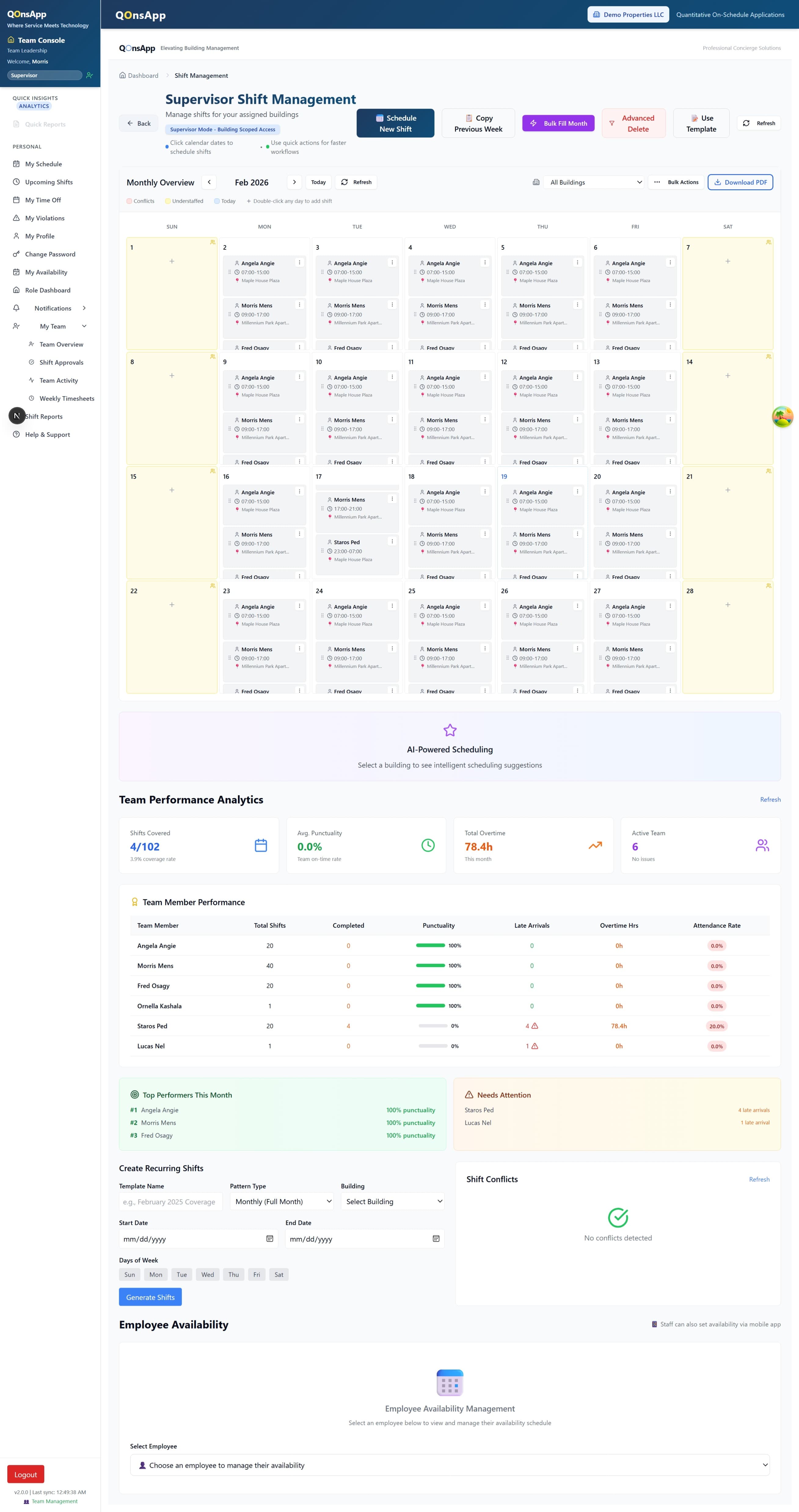
Most concierge and property management companies still build weekly rosters in Excel or Google Sheets. It feels free. But according to the U.S. Bureau of Labor Statistics (2024), administrative coordinators in facilities services spend 20–30 hours per week on scheduling-related tasks. At an average hourly rate of $28.50, that's over $40,000 per year burned on a process that software handles in minutes.
This post breaks down the hidden costs of spreadsheet scheduling, shows where manual processes fail, and walks through the return on investment when you switch to purpose-built tools.
TL;DR
- Manual scheduling consumes 20–30 hours per week and costs companies upward of $40,000 annually in coordinator time alone (BLS, 2024).
- Spreadsheets lack conflict detection, mobile access, and audit trails — the three features that cause the most coverage gaps.
- Automated scheduling platforms cut roster-building time by up to 80% and reduce missed shifts by 60%, according to McKinsey (2023).
What Does Manual Scheduling Actually Cost?
The Bureau of Labor Statistics (2024) reports that administrative services managers in property and facilities earn a median $28.50 per hour. If your scheduling coordinator spends 25 hours per week building rosters, reconciling time-off requests, and fielding shift-swap texts, that's $712.50 per week — or $37,050 per year — before benefits.
The Direct Labor Cost
Start with the math. A scheduler earning $25–$35 per hour who spends half their week on roster management represents a $32,500–$45,500 annual scheduling cost. For companies managing three or more properties, that number multiplies. Some operations teams we've spoken with employ a dedicated scheduling coordinator per building.
The Coverage-Gap Tax
Missed shifts cost more than the missed hours. A Aberdeen Group (2023) study found that unplanned absences cost employers roughly $3,600 per employee per year in lost productivity and emergency coverage. In concierge services, a single missed lobby shift can trigger SLA penalties of $500–$2,000, depending on the contract.
Client churn follows. Property managers don't renew contracts with concierge providers that can't maintain consistent coverage. We've found that reliability — not price — is the primary reason clients switch vendors.
Where Do Spreadsheets Break Down?
A Forrester (2024) survey of operations leaders found that 67% of companies using spreadsheets for scheduling reported at least one major staffing error per month. The root causes fall into three categories: no conflict detection, no real-time visibility, and no mobile access for field staff.
No Conflict Detection
Excel won't warn you when you schedule the same person for overlapping shifts at two different buildings. It won't flag that an employee has already worked 38 hours and the next shift pushes them into overtime. These conflicts create payroll surprises and compliance risk.
No Real-Time Visibility
When a concierge calls in sick at 6 AM, the supervisor needs to see who's available right now. A spreadsheet sitting on someone's desktop doesn't help. Even shared Google Sheets lack the filtered views and notification layers that real-time scheduling demands.
Version Control and Audit Trails
Multiple editors means multiple versions. Which file is current? Did someone overwrite the Friday roster? In regulated environments, auditors want a clear trail of who changed what and when. Spreadsheets don't provide that. According to Gartner (2024), 41% of workforce compliance issues stem from undocumented schedule changes.
"The spreadsheet isn't the problem. The problem is that spreadsheets were designed for financial modelling, not operational coordination. They lack the guardrails that scheduling workflows require."
What Changes When You Automate?
McKinsey (2023) estimates that companies adopting workforce automation reduce scheduling overhead by 70–80% and see a 60% reduction in coverage gaps within six months. Here's what that looks like in practice for concierge operations.
AI Matching Replaces Manual Rostering
Instead of scrolling through availability lists, AI scheduling engines cross-reference certifications, proximity, overtime thresholds, and employee preferences to generate optimal rosters in minutes. What used to take a coordinator an entire morning now takes seconds.
GPS-Verified Attendance
Manual timesheets are unreliable. GPS clock-in through a mobile app verifies that staff are on-site when their shift starts. This eliminates buddy-punching and gives supervisors real-time visibility into who's actually at each property. A SHRM (2023) report noted that GPS-based time tracking reduces payroll errors by up to 25%.
Payroll Exports Kill Reconciliation
When scheduling and time tracking live in the same system, payroll exports become a one-click operation. No more cross-checking three spreadsheets against a fourth. Hours, rates, overtime, and building-level cost allocation flow directly into your payroll provider.
Multi-Property Oversight
A centralized dashboard shows coverage status, labor costs, and staffing gaps across every building in your portfolio. Supervisors stop toggling between tabs and start making decisions from a single view.
Is It Worth Switching?
The Deloitte Human Capital Trends (2024) report found that organizations automating workforce scheduling see an average 4.3x return on investment within the first year. Here's a simple framework for running your own numbers.
The ROI Formula
Hours saved per week: 20 hrs (conservative)
Coordinator hourly rate: $28.50
Weekly savings: 20 x $28.50 = $570
Annual savings: $570 x 52 = $29,640
This excludes avoided SLA penalties, reduced overtime, and lower turnover costs.
Beyond the Dollars
ROI isn't only financial. Companies that automate scheduling report fewer last-minute coverage emergencies, faster payroll cycles, and higher staff satisfaction. The Gallup (2024) State of the Global Workplace report found that employees with predictable, fairly assigned schedules are 2.1x more likely to be engaged at work.
For concierge companies specifically, consistent coverage translates directly into contract renewals. When your client never has to ask "where's the concierge?", you keep the account.
Frequently Asked Questions
How long does it take to migrate from spreadsheets?
Most teams complete the transition in one to two weeks. The first step is importing your employee roster and property list. From there, you build your first automated schedule within a day. Historical data migration isn't required to start.
Do I need to change my payroll provider?
No. Scheduling platforms export timesheet data in standard formats (CSV, direct API) that work with any payroll system. The goal is to eliminate the manual reconciliation step, not to replace your existing payroll infrastructure. See payroll integration details.
What if my team resists the change?
In our experience, resistance drops quickly once field staff see the mobile app. Viewing schedules, swapping shifts, and clocking in from their phone is a clear upgrade over texting a supervisor and waiting for a reply.
How much does scheduling software cost compared to spreadsheets?
Spreadsheets appear free but carry hidden costs of $30,000–$45,000+ per year in coordinator time. Most scheduling platforms charge $3–$8 per user per month. For a 50-person team, that's $1,800–$4,800 per year — a fraction of the manual alternative. Check current pricing for specifics.
Ready to Replace the Spreadsheet?
See how much time and money your team can reclaim. Start with a free trial — no credit card required.